My client app

Every step, in one place

Every client I work with gets their own password-protected client portal for their purchase or sale: what's done, what's next, the dates that matter and contact info for their transaction team, like the home inspector, lender and closer.

  • Opens on any phone or computer
  • Nothing to download
  • Updated as each step is done
See the examples
Chelsea McFarland on a footbridge
Chelsea McFarlandCo-Founder, McFarland Prey Real Estate

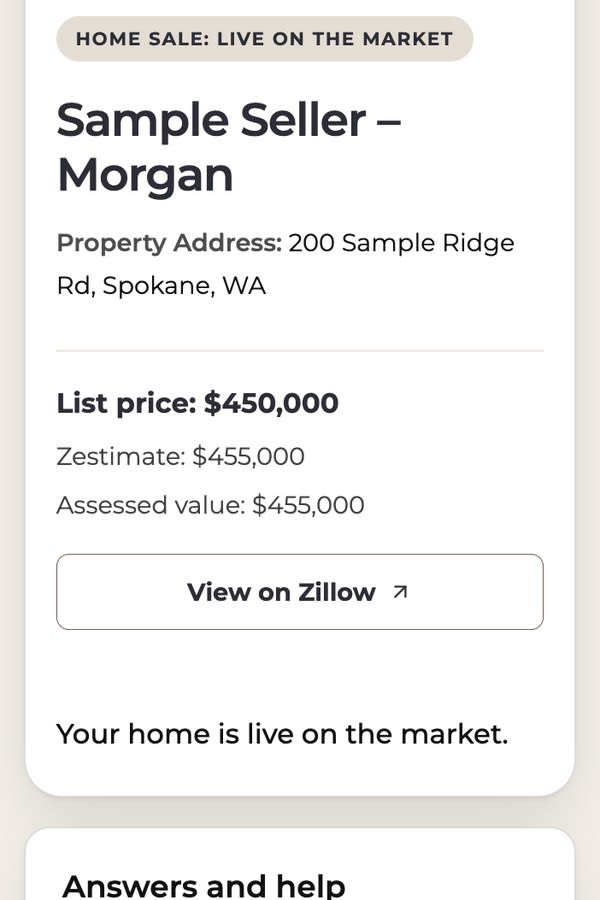
Sample buyer Alex's client portal on a phone Sample buyer Jordan's client portal on a phone Sample seller Morgan's client portal on a phone Sample seller Taylor's client portal on a phone
Inside a client portal

See what my clients see

Every client gets their own password-protected portal. These four use made-up clients and addresses, and you can open each one with the password I gave you.

  • What's done and what comes next
  • The dates that matter
  • Their inspector, lender and closer
  • Weekly updates for my sellers

Pick a sample client

Behind the scenes

This is my side of the app, shown with the same four sample clients.

Client list in my admin, showing the sample buyers and sellers
My client list, with each buyer and seller and where they stand.
Client status card for a sample buyer under contract
Each client's stage, which I move forward as the deal progresses.
Transaction dates for a sample buyer, with suggested deadlines
Key dates, suggested from the acceptance date, with a box to tick as each one is done.
Home inspector and insurance agent chosen by a sample buyer
The inspector and insurance agent my buyer picked from my trusted vendors, right in the app.
Deal details for a sample seller under contract
For sellers, the key dates and the people on the other side of the deal, all in one place.
Milestone checklist for a sample seller
Seller milestones, with the current step highlighted so we both know what's next.
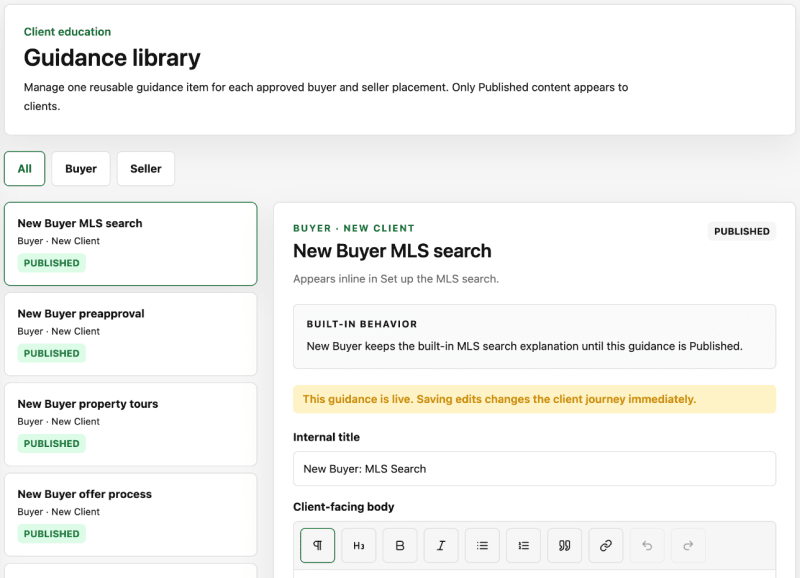
Guidance library with buyer and seller notes
My guidance library: short notes matched to each stage, so clients see the right one at the right time.
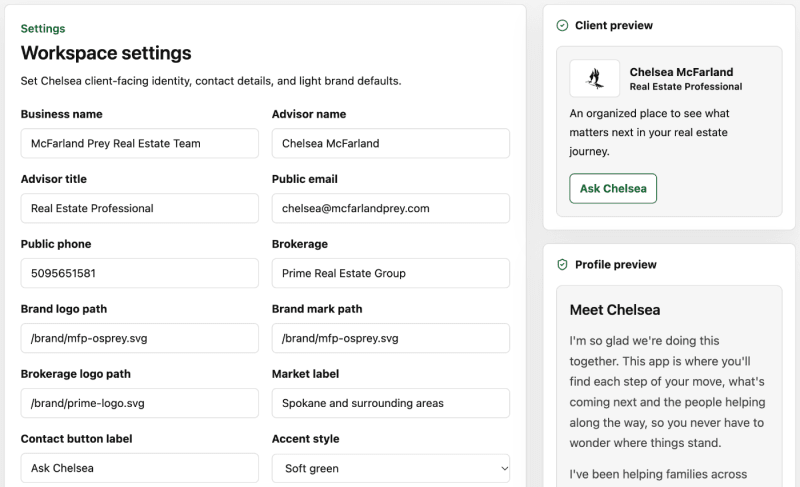
Workspace settings with a preview of what clients see
My settings, with a live preview of what clients see when they open their page.
Weekly update form for a sample seller, with showings and Zillow views and saves
Each week I enter showings and Zillow views and saves, and my seller sees them in their update.
Buyer agent feedback ready to add to a sample seller's update
Buyer agent feedback, worded the way I want my seller to read it before it goes in their update.
A made-up comparable home added to a sample seller's update
Comparable homes I add, so my seller can see what they're up against.

Chelsea McFarland, Real Estate Broker, licensed in WA and ID (DOL 124056 / SP49745) · Prime Real Estate Group, 1402 S Grand Blvd, Suite 201, Spokane, WA 99203